
Following BitcoinMe’s transition to a DeFi model, withdrawals from the centralized platform will remain available until August 11, 2026.
If you currently hold tokens or NFTs on BitcoinMe, you must manually withdraw them before the deadline.
This guide walks you step by step through the process.
Before you begin
Make sure you:
• Have access to your BitcoinMe account
• Have access to your destination wallet (e.g., Klever Wallet)
• Have verified the correct network for your asset
• Double-check your wallet address before confirming
⚠️ Always verify the correct blockchain network before withdrawing.
PART 1 — How to withdraw tokens (Crypto)
Step 1 — Log into your BitcoinME account
Access https://cex.bitcoin.me and log into your account.
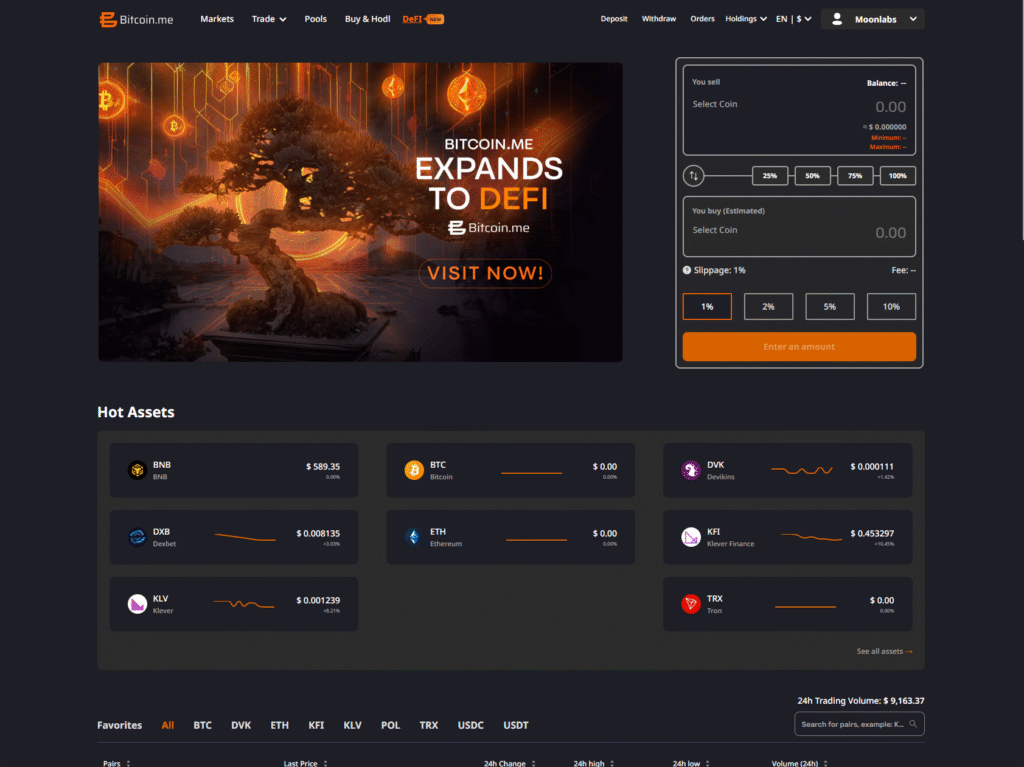
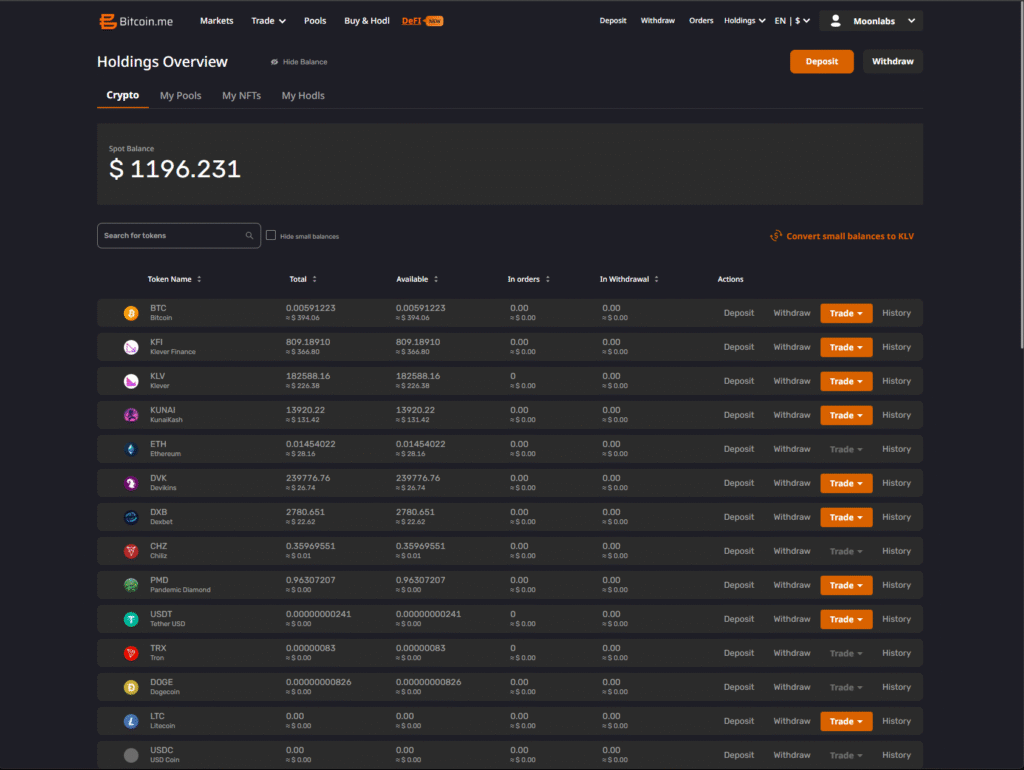
Step 3 — Select the Token You Want to Withdraw
Inside the Crypto section:
Locate the token balance you want to withdraw.
Click on the Withdraw option.
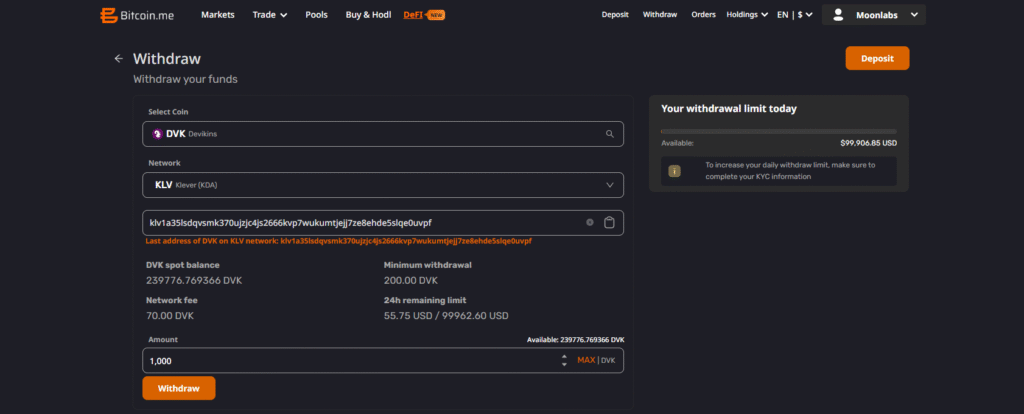
Step 4 — Enter your wallet address
In the withdrawal window:
Select the KLV option and paste your destination wallet address in the required field.
Confirm that:
• The address matches your intended wallet
• The selected network is correct
• You understand any applicable network/service fees
Step 5 — Confirm the withdrawal
Click Continue and complete:
• 2FA verification (if enabled)
• Email confirmation (if required)
After confirmation, the transaction will be processed on-chain.
Step 6 — Track the transaction
You can monitor the transaction status in:
Orders → Withdrawal history
Or track it via blockchain explorer using the transaction hash.
PART 2 — How to withdraw NFTs
The flow for NFTs is slightly different.
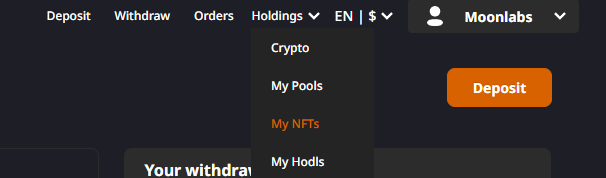
Step 1 — Go to Holdings → My NFTs
From the top menu:
Holdings → My NFTs
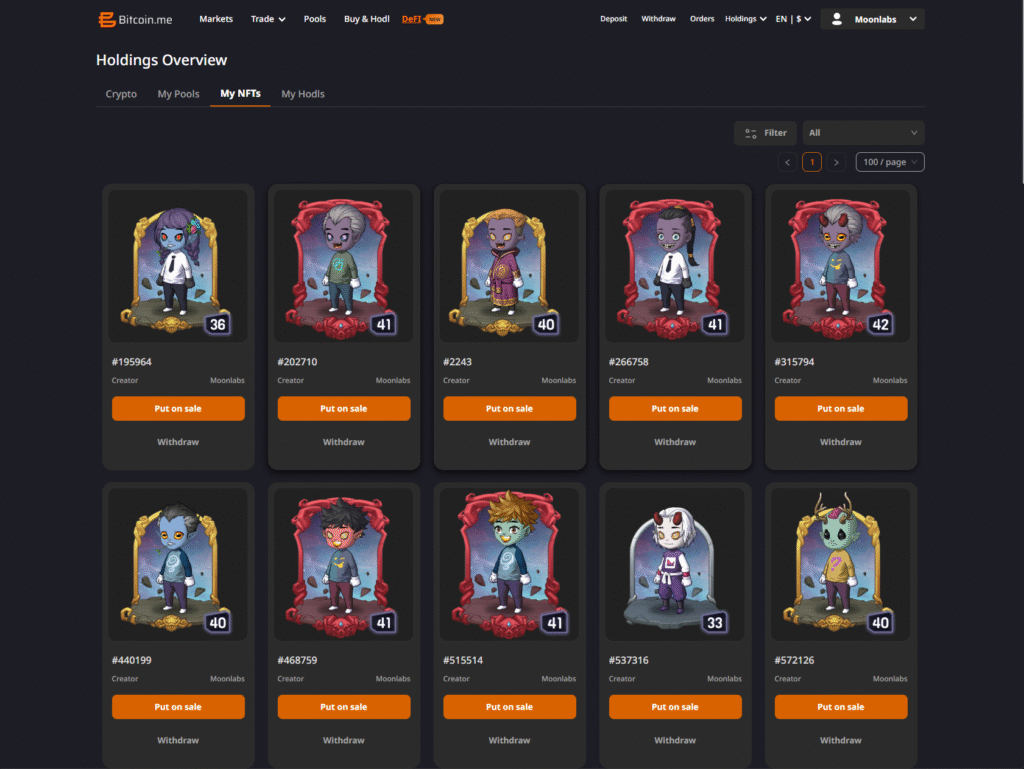
Step 2 — Select the NFT
Click on the NFT you want to withdraw.
This opens the NFT detail page.
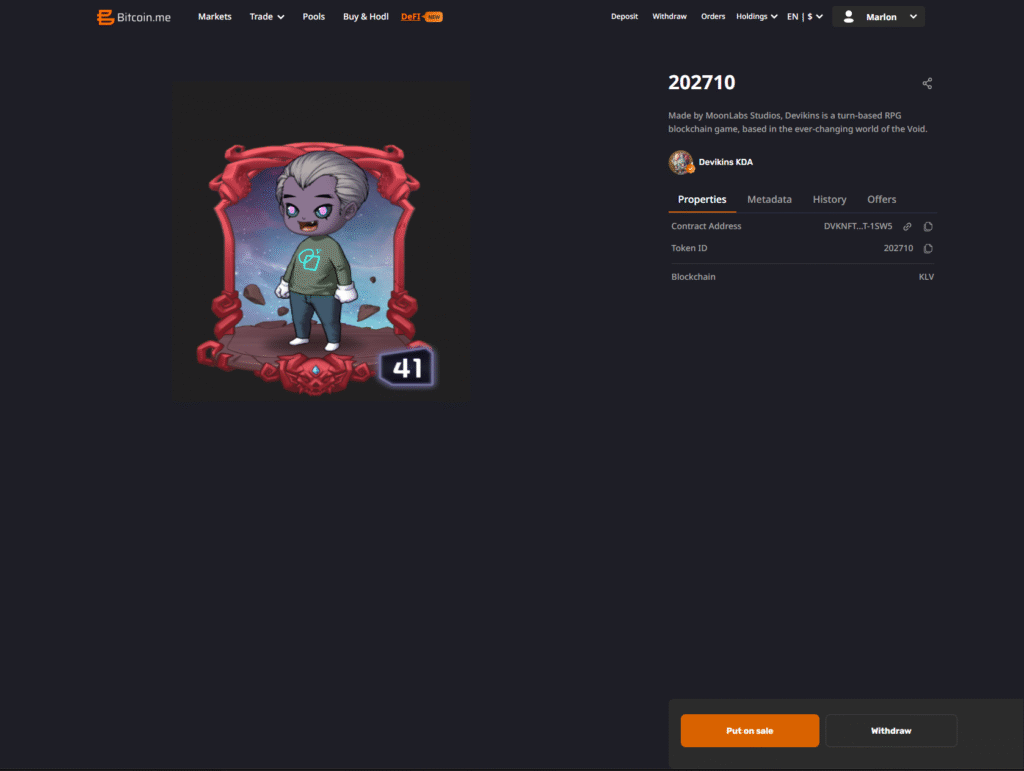
Step 3 — Click “Withdraw”
On the NFT detail screen:
Click the Withdraw button.
A transfer window will appear.
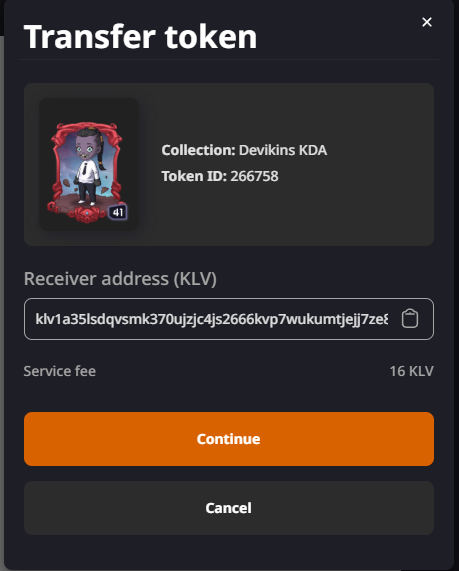
Step 4 — Enter receiver address (KLV)
Paste your Klever-compatible wallet address.
Important:
• The address must support NFTs
• The blockchain must match (KLV network)
• Service fees may apply
Click Continue.
Step 5 — Confirm the transaction
Complete any security confirmations required.
Once processed, your NFT will appear in your destination wallet.
Common mistakes to avoid
• Sending assets to the wrong network
• Using an exchange wallet that does not support NFT reception
• Copying the wrong address
• Waiting until the final days before the deadline
We strongly recommend completing withdrawals well before August 11, 2026.
What happens after August 11, 2026
After the deadline:
The centralized BitcoinME platform will be discontinued.
Withdrawal functionality will be suspended.
Users who fail to withdraw before the deadline may lose access to their assets.
Final reminder
If you hold tokens or NFTs on BitcoinME:
Withdraw them before August 11, 2026.
MoonLabs is providing this guide for clarity and community support, but all withdrawals must be executed directly within the BitcoinME platform.


